Time tracking software has become an essential tool for small businesses to manage their workforce and track productivity effectively. In today’s fast-paced business environment, it is crucial for small businesses to have accurate and efficient time-tracking solutions in place. Whether it is for billing clients, ensuring project completion deadlines are met, or monitoring employee productivity, time-tracking software can greatly simplify these processes and help small businesses achieve better efficiency and success.
What is Time Tracking Software for Small Businesses?
Time tracking software is a valuable tool for small businesses that helps them monitor and manage their employees’ working hours. It provides a systematic approach to tracking time spent on tasks, projects, and clients, allowing businesses to improve their productivity, efficiency, and overall profitability.
Small businesses often face resource constraints and tight budgets, making it crucial for them to make the most of their available workforce. Time tracking software enables businesses to gain insights into how their employees are spending their time, identifying areas for improvement, and optimizing time allocation.
One of the main benefits of using time-tracking software for small businesses is the ability to bill clients or customers for work done accurately. By tracking time spent on tasks or projects, businesses can invoice clients based on the actual effort invested, ensuring fair and transparent pricing. This not only helps in maintaining healthy client relationships but also enhances the business’s revenue stream.
Time-tracking software also assists small businesses in monitoring project progress and meeting deadlines. By systematically recording the time spent on each task, managers can identify bottlenecks, allocate resources effectively, and manage workloads efficiently. This facilitates better project planning and enables businesses to complete projects within specified timeframes, leading to higher customer satisfaction.
Many software solutions offer additional features, such as time tracking, employee attendance tracking, leave management, and performance analysis, in addition to time tracking. These functionalities help small businesses streamline their HR processes, enhance employee engagement, and make informed decisions regarding resource allocation.
Moreover, time-tracking software aids in improving employee accountability and productivity. When employees are aware that their time is being tracked, it fosters a sense of responsibility, encouraging them to prioritize their tasks, minimize distractions, and focus on their core responsibilities. This ultimately leads to higher productivity levels across the organization.
Furthermore, time-tracking software provides accurate data for payroll and employee performance evaluations. It ensures fair and precise compensation for employees based on the hours worked and helps identify top performers and potential areas of improvement. This data-driven approach to evaluating employee performance fosters transparency, boosts employee morale, and rewards hard work.
Benefits of Time Tracking Software for Small Businesses
Time-tracking software helps small businesses monitor and manage how employees spend their working hours. The software allows businesses to track time spent on tasks, projects, and clients, improving productivity, efficiency, and profitability. It provides insights into how employees are spending their time, identifying areas for improvement, and making better resource allocation decisions. Time-tracking software is especially valuable for small businesses facing resource constraints and tight budgets, as it offers a data-driven approach to optimize operations and remain competitive.
1. Improved Productivity and Efficiency
Time tracking software helps small businesses improve productivity by enabling them to identify time-wasting activities and eliminate or optimize them. By tracking how employees spend their time, businesses can identify bottlenecks, streamline processes, and eliminate non-essential tasks. This allows employees to focus on high-priority work, leading to increased efficiency and overall productivity.
2. Accurate Client Billing
One of the key advantages of using time-tracking software is the ability to bill clients accurately based on the actual time spent on their projects. By tracking time in a systematic and transparent manner, businesses can ensure that clients are billed fairly for the work done. This not only strengthens client relationships but also helps in maintaining a steady revenue stream.
3. Effective Project Management
Time-tracking software enables small businesses to manage projects more effectively. By tracking time spent on each task, managers can easily monitor project progress, identify any delays or bottlenecks, and take necessary action to keep projects on track. This helps businesses meet deadlines, allocate resources efficiently, and improve overall project management.
4. Enhanced Employee Accountability
When employees know that their time is being tracked, it promotes a sense of accountability and responsibility. Time-tracking software helps create a culture of discipline and professionalism, where employees are more likely to prioritize their tasks and avoid distractions. This leads to increased employee accountability and improved overall team performance.
5. Streamlined HR Processes
Many time-tracking software solutions offer additional features such as employee attendance tracking, leave management, and performance analysis. These features help small businesses streamline their HR processes and reduce administrative overhead. By automating attendance tracking and leave management, businesses can save time and effort, allowing HR teams to focus on more strategic tasks. Performance analysis features also enable businesses to make data-driven decisions regarding employee rewards and resource allocation.
Top 5 Time Tracking Software for Small Businesses
These software options offer features such as time tracking, project management, reporting, and invoicing to help small businesses streamline their time management processes and improve productivity. The list includes Toggl Track, Harvest, Clockify, Hubstaff, and TimeCamp, each offering unique features and pricing plans to cater to the diverse needs of small businesses.
1. Toggl Track
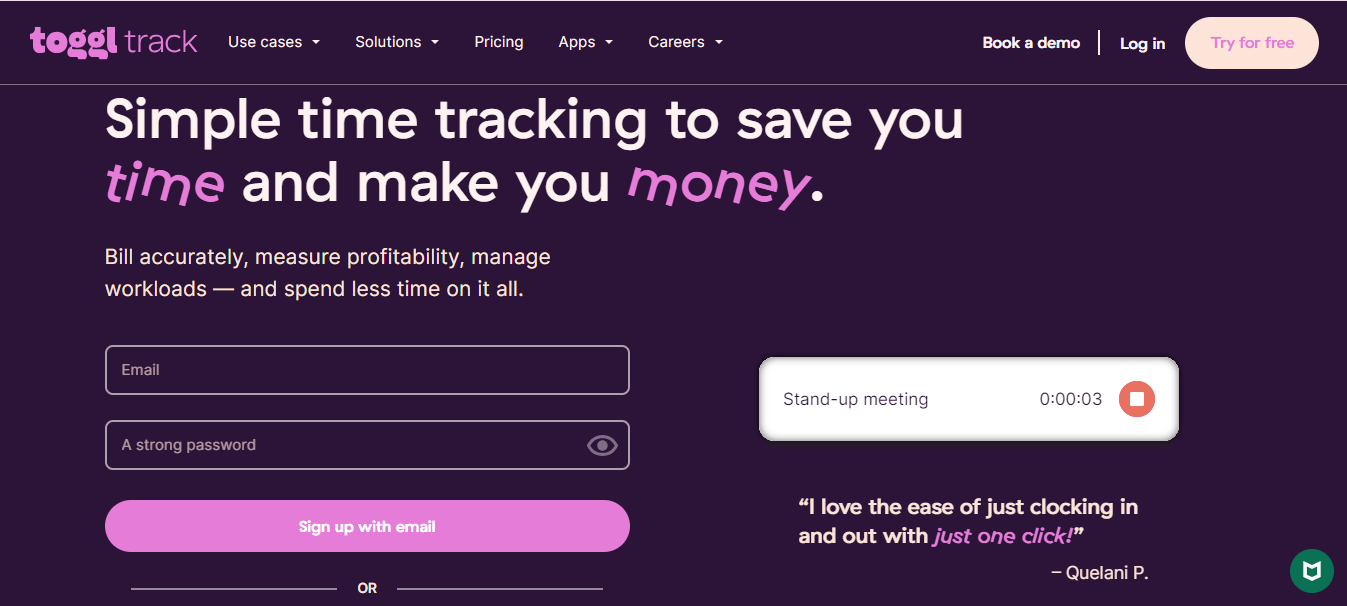
Toggl Track is popular time tracking software for small businesses. It offers a user-friendly interface and robust features. It allows users to track time spent on tasks, projects, and clients, providing valuable insights into productivity and efficiency.
Price: Toggl Track offers a free plan suitable for solo entrepreneurs and small businesses with basic time-tracking needs. They also offer paid plans starting at $9 per user per month, which unlock additional features such as integrations, project and team management, reporting, and more.
Notable features
- One-click time tracking: Toggl Track’s intuitive interface allows users to start and stop time tracking with a single click, making it easy to capture accurate time spent on tasks.
- Project and team management: Users can organize tasks and projects, assign them to team members, and track their progress in real-time. This feature helps small businesses streamline project management and improve collaboration.
- Productivity insights: Toggl Track provides detailed reports and visualizations that help businesses analyze how time is being utilized. This data-driven approach allows users to identify patterns, optimize workflows, and increase overall productivity.
- Integrations: Toggl Track seamlessly integrates with popular project management tools, calendar applications, and other business software. This simplifies time tracking and allows for easy synchronization of data across multiple platforms.
- Mobile apps: Toggl Track offers mobile apps for iOS and Android, allowing users to track time on the go. This is particularly useful for remote teams or employees who work outside the office.
Summary
Toggl Track is a reliable time tracking software that offers a wide range of features to improve productivity and project management. With its easy-to-use interface, robust reporting capabilities, and seamless integrations, it is an excellent choice for small businesses looking to optimize their time tracking processes.
Watch Out For: While Toggl Track is a powerful tool, some users might find its pricing plans relatively higher compared to other options in the market. Additionally, the free plan has some limitations, such as a maximum number of users and features available, which might not be suitable for businesses with larger teams or more complex time tracking needs.
2. Harvest
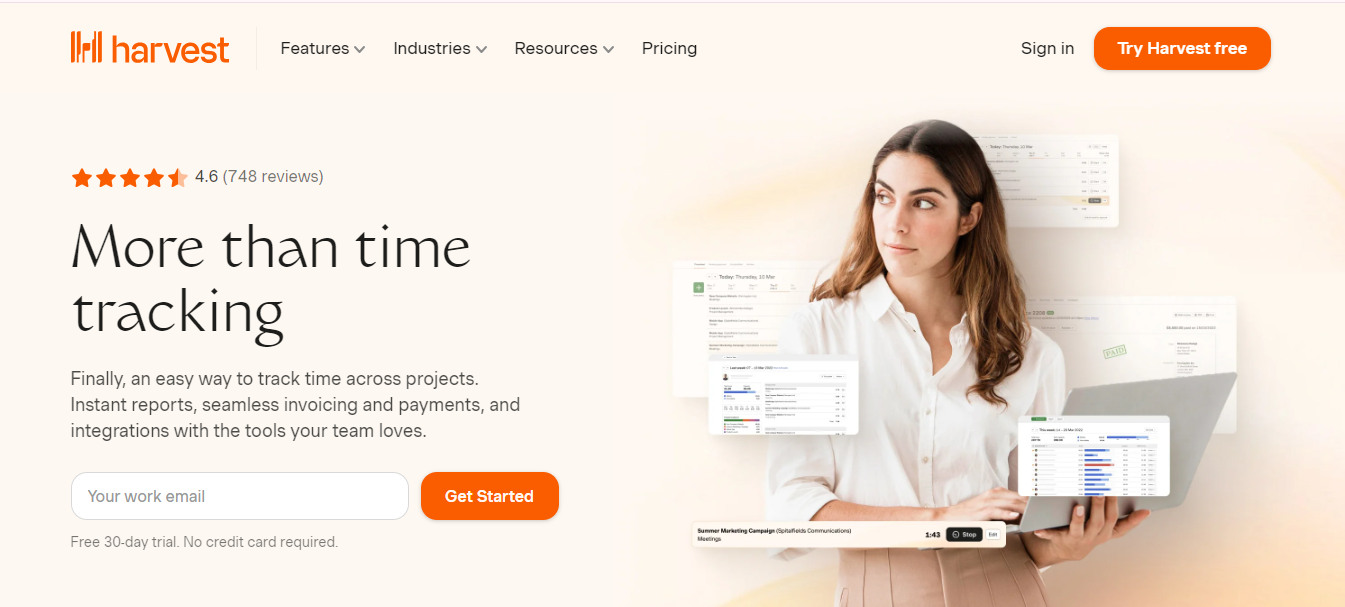
Harvest is a comprehensive time tracking software designed to help businesses manage and analyze their time effectively. It offers a wide range of features, making it a popular choice among small businesses.
Price: Harvest offers a free 30-day trial period. After the trial, businesses can choose from two paid plans: “Solo” for $12 per user per month, and “Team” for $12 per user per month with a minimum of two users. Customized pricing is also available for larger teams or enterprise-level customers.
Notable features
- Time tracking and invoicing: Harvest allows users to track time spent on tasks and projects, and seamlessly convert that data into professional invoices. This simplifies the billing process and ensures accurate client invoicing.
- Expense tracking: Users can also track and manage expenses within Harvest, making it easy to keep track of project-related expenses and reimbursements.
- Budgeting and project management: Harvest enables businesses to set budgets for projects and track their progress over time. This feature helps managers stay on top of project timelines and finances.
- Powerful reporting: Harvest provides detailed reports on time tracked, expenses, and project budgets. These reports enable businesses to gain insights into productivity, profitability, and resource allocation.
- Integrations: Harvest integrates with a variety of popular business tools, including project management software, accounting software, and calendaring applications. This allows for seamless data synchronization and enhanced workflow efficiency.
Summary
Harvest is a comprehensive time tracking software that offers a range of features to help businesses stay on top of their time management and project finances. Its user-friendly interface, powerful reporting capabilities, and integration options make it a solid choice for small businesses.
Watch Out For: Some users have reported that the user interface can be a bit overwhelming at first, particularly for less tech-savvy users. Additionally, Harvest’s pricing might be less competitive for smaller teams compared to other options available in the market.
3. Clockify
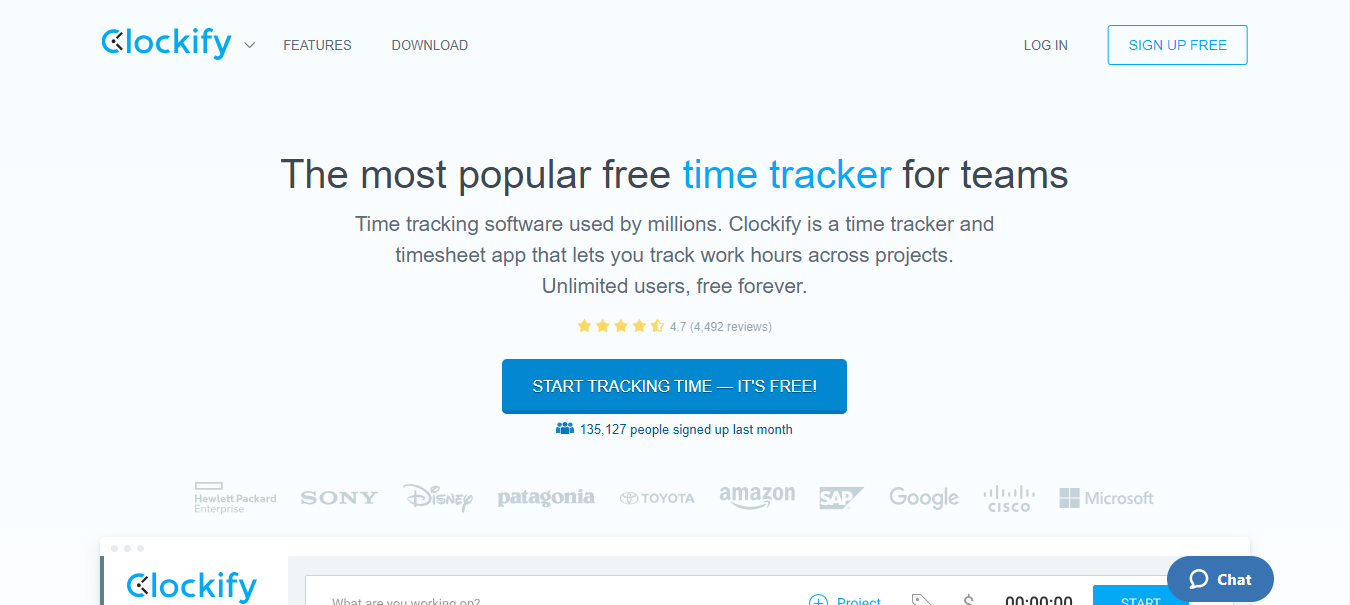
Clockify is a simple yet powerful time tracking solution that offers a free version with robust features, making it an attractive choice for small businesses in need of a cost-effective solution.
Price: Clockify offers a free plan that includes unlimited users and basic time tracking features. They also offer a “Standard” plan for $9.99 per user per month, which unlocks advanced features such as time tracking reminders, reporting, and integrations.
Notable features
- Simple interface: Clockify’s user-friendly interface makes it easy for employees to track their time. Users can log time manually or use a timer, making it suitable for both office-based and remote workers.
- Team collaboration: Clockify allows users to create teams and assign projects or tasks to team members. This feature promotes collaboration and helps businesses manage workflows more efficiently.
- Reporting and insights: Clockify provides detailed reports on individual and team time tracking data, allowing businesses to gain insights into productivity and resource allocation. Users can generate reports based on clients, projects, teams, and more.
- Integration options: Clockify integrates with a variety of popular business tools such as project management software, enterprise resource planning (ERP) systems, and other time management tools. This enables businesses to streamline their workflow and data synchronization.
- Dashboard and timesheets: Clockify offers a dashboard that provides an overview of individual and team time tracking activities. Timesheets can be exported or shared with clients or managers for transparent communication.
Summary
Clockify is a simple yet powerful time tracking software that offers great value for small businesses. With its free plan and robust features such as team collaboration, reporting, and integration options, Clockify is a cost-effective solution for businesses looking to track and manage their time efficiently.
Watch Out For: The free plan may have some limitations, such as advanced reporting features or invoicing capabilities. Additionally, while Clockify provides essential time tracking functionalities, it may lack some of the more advanced features offered by other software options.
4. Hubstaff

Hubstaff is a time tracking software specifically designed for remote teams and freelancers. It offers powerful features, including real-time employee monitoring, project management tools, and detailed reporting capabilities.
Price: Hubstaff offers a range of pricing plans starting at $7 per user per month. They also offer a free plan for solo users, with limited features and functionality.
Notable features
- Employee time tracking and monitoring: Hubstaff allows businesses to track employees’ time and activity levels, providing insights into productivity and work patterns. It captures screenshots and tracks keyboard and mouse activity to ensure accountability and transparency.
- Project management: Hubstaff offers project management features such as task assignments, progress tracking, and deadline monitoring. This helps businesses stay organized and ensure timely completion of projects.
- GPS tracking and geofencing: For businesses with remote employees or field service workers, Hubstaff offers GPS tracking and geofencing features. This allows businesses to monitor employee locations and ensure they are working where they are supposed to be.
- Integrations: Hubstaff integrates with a variety of popular project management, time tracking, and payroll software. This ensures seamless data synchronization and interoperability with existing business tools.
- Advanced reporting and analytics: Hubstaff provides detailed reports on employee productivity, time spent on tasks or projects, and overall team performance. These insights can be utilized to identify areas for improvement and make data-driven decisions.
Summary
Hubstaff is a comprehensive time tracking software designed for remote teams and freelancers. With its employee monitoring features, project management capabilities, and advanced reporting options, it offers an integrated solution for businesses looking to manage their remote workforce efficiently.
Watch Out For: Some users might find Hubstaff’s employee monitoring features intrusive, especially for teams that value privacy and trust. Additionally, the more advanced features and functionalities might be overwhelming for smaller businesses with simpler time tracking needs.
5. TimeCamp
TimeCamp is a feature-rich time tracking software suitable for small businesses that require detailed time tracking and reporting capabilities. It offers a user-friendly interface and a range of integrations for seamless data synchronization.
Price: TimeCamp offers a free plan with limited features, as well as paid plans starting at $7 per user per month. They also offer custom enterprise plans for larger teams or businesses with specific requirements.
Notable features
- Automatic time tracking: TimeCamp offers an automatic time tracking feature that records time spent on applications, websites, and specific tasks. This minimizes manual data entry and provides accurate time tracking data.
- Project management: TimeCamp includes project management features such as task assignments, progress tracking, and budget management. Users can effectively manage projects from inception to completion.
- Calendar integration: TimeCamp integrates with popular calendar applications, allowing users to import and track time spent on calendar events. This ensures comprehensive time tracking across multiple platforms.
- Productivity monitoring: TimeCamp provides a productivity monitoring feature that tracks active and idle time, providing insights into employee working patterns. This feature helps identify areas for improvement and optimize time usage.
- Billing and invoicing: TimeCamp offers billing and invoicing functionality, allowing businesses to generate invoices based on time tracked. This streamlines the billing process and ensures accurate client invoicing.
Summary
TimeCamp is a feature-rich time tracking software that offers comprehensive time tracking, project management, and productivity monitoring capabilities. With its automatic time tracking, calendar integration, and billing features, TimeCamp is a suitable choice for businesses looking for a comprehensive solution.
Watch Out For: Some users may find TimeCamp’s interface a bit complex, particularly for those with limited technical expertise. Additionally, the pricing plans might be on the higher side compared to other time tracking software options.
Factors to Consider When Choosing Time Tracking Software for Small Businesses
Choosing the right time tracking software for your small business is crucial. Consider the following factors to ensure you make an informed decision:
1. Ease of Use
Choose software with an intuitive interface and simple navigation that employees can quickly adapt to and use without extensive training. User-friendly software ensures smooth adoption and encourages accurate time tracking.
2. Features
Consider the specific features you need for your business. Look for time tracking capabilities, project management tools, reporting options, invoicing functionalities, and any other features that align with your workflow and goals.
3. Scalability
Ensure the software can handle the growth of your business. Consider the number of users, projects, and clients it can accommodate and if there are options to upgrade or downgrade plans as needed.
4. Mobile Accessibility
If you have remote workers or employees who frequently travel, consider software that offers mobile apps or browser-based access. This allows employees to track time and manage tasks from anywhere, ensuring accurate time tracking.
5. Integration Options
Check if the software integrates with other tools you already use in your business, such as project management software, accounting systems, or calendar applications. Integrations streamline workflows and avoid data duplication.
6. Data Security
Ensure the software has robust security measures in place to protect sensitive employee and client data. Look for features like data encryption, user access controls, and regular data backups to ensure privacy and data integrity.
7. Cost
Consider the pricing plans offered by the software and compare them against the features and benefits provided. Look for a return on investment, taking into account how the software can improve productivity, accuracy, and efficiency in your time management processes.
Conclusion
In conclusion, time-tracking software is an invaluable asset for small businesses looking to optimize their operations and improve productivity. By implementing a user-friendly and reliable time-tracking solution, small businesses can effectively manage their workforce, track project progress, and facilitate accurate billing. Investing in the right time-tracking software can lead to better time management, increased profitability, and streamlined operations, ultimately contributing to the overall success and growth of small businesses.