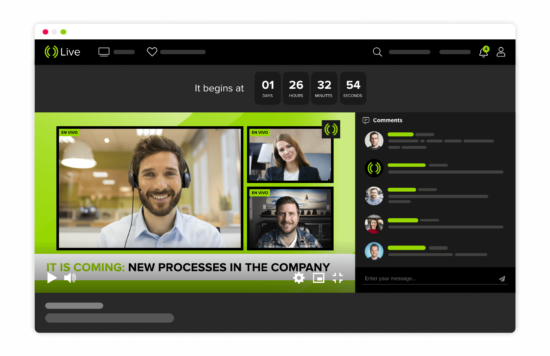
The use of live streaming software has grown exponentially in recent years, with more people than ever before using it for a variety of purposes such as video calling, gaming, and even video broadcasting live events.
Live streaming software enables you to broadcast live video footage from your webcam or computer screen. This can be useful for various purposes, such as conducting webinars, giving presentations, or sharing gaming footage with others. Several different live streaming software programs are available, each with its features and benefits.
This blog post will compare five of the most popular live streaming software programs and help you choose the right one. So, whether you’re a business owner looking to reach a wider audience or an individual simply wanting to share your latest vacation footage with friends and family, we’ve got you covered!
What is a Live Streaming Software for Video Broadcasting?
A live streaming software for video broadcasting is a program that allows users to encode, record, and broadcast live video and audio content in real-time. It can be used to stream live events such as concerts, sporting events, news broadcasts, and more.
Live streaming software typically includes a range of features such as the ability to broadcast in high definition, support for multiple cameras and microphones, and the ability to stream to multiple platforms simultaneously.
Some live streaming software also includes features such as chat integrations, live synchronization with other media sources, and support for virtual reality. Regardless of the desired features, there is sure to be a live streaming software program that meets the user’s needs.
What Can You Do With a Live Streaming Software?
A live streaming software allows you to capture and broadcast live video footage in real-time. This can be useful for several applications, such as live webcasts, video broadcasting, event coverage, and even security.
In recent years, the popularity of live streaming has exploded, and more people are using it to connect with their audiences in new and innovative ways.
Video Broadcasting
Broadcasting live video used to require expensive equipment and skills. But with the advent of live streaming software, anyone can be a broadcaster. All you need is a computer with a webcam and an internet connection.
Live streaming software makes it easy to capture and broadcast video in real time. There are different types of software available for this task, so you can choose the one that best suits your needs.
Some software is designed for specific platforms, such as Facebook Live or YouTube Live. Other software can be used on any website or blog. Some live streaming software is even free. Whether you’re a seasoned broadcaster or just getting started, live streaming software can help you reach a larger audience and share your message with the world.
Live Webcast
Live streaming software enables you to do a live Webcast. You can do it with any computer or phone with an Internet connection, and you don’t need any special equipment. You only need a webcam and an audio input device, such as a microphone. Some laptops have a built-in webcam, or an external webcam plugged into the USB port.
To get started, all you need to do is download and install the software on your computer. Once you’ve done that, just launch the software and follow the instructions on how to set up your live stream.
Events Coverage
Live streaming software is a great way to cover events. It can be used to stream conferences, sporting events, concerts, and more. The software can be used to create a live feed of the event that people can watch in real time. This is a great way to get the word out about an event and generate interest.
Additionally, live streaming software can be used to record an event. This is a great way to create a permanent event record that can be watched later. This can be especially useful for conferences or other events not widely covered by the media. It can also be used to record an event for later viewing.
Top 5 Live Streaming Software for Video Broadcasting
1. OBS Studio
Source: OBS Studio
OBS Studio is a free popular live streaming software that allows users to broadcast their video content to a wide audience. The software is easy to use and has various features that make it an ideal choice for professional and amateur broadcasters.
One of the most appealing aspects of OBS Studio is its flexibility – the software can be used for various purposes, from live gaming to webcasting. Additionally, OBS Studio is available for both Windows and macOS, making it accessible to many users.
OBS Studio is an excellent option for live streaming, whether you’re looking to start your own channel or simply want to share your gameplay with friends.
Price: Free
Features
- Create unlimited scenes for your live videos
- Recording
- Screen capture
- Audio mixing
- Live video broadcasting
- Source and input management
- Integrates with many streaming websites
Summary
OBS Studio is a powerful yet easy-to-use live streaming and recording software. It’s perfect for those who want to start streaming or recording quickly without hassle. OBS Studio is also great for those new to live streaming and recording, as it is very user-friendly.
Overall, OBS Studio is a versatile and powerful piece of software perfect for anyone who wants to start live streaming or recording.
Watch Out For: There is no dedicated technical support.
2. XSplit

Source: XSplit
XSplit is a live streaming software that allows you to broadcast your video content in real-time. With XSplit, you can stream your content to multiple platforms, including Twitch, YouTube, and Facebook Live. You can also use XSplit to record your gameplay or create live tutorials.
In addition, XSplit offers a wide range of features, including support for custom logos and graphics, scene transitions, and audio filters. XSplit is constantly updating its software to ensure you have the latest features and functionality.
As a result, XSplit is an essential tool for any content creator who wants to reach a large audience.
Price: $30 – $115
Features
- Technical Support
- Integrated green screen
- Customization add-ons
- Projector mode
- Connect: Webcam transforms your phone into a secondary camera.
- Scene preview editor
- Video Broadcasting
- Stream delay for broadcasting later.
Summary
XSplit is a powerful live streaming and recording software that gives users everything they need to create professional quality broadcasts. With a simple, intuitive interface, XSplit makes it easy to get started with live streaming.
Whether you’re streaming gameplay, hosting a podcast, or creating a vlog, XSplit has the features you need to produce high-quality content. If you’re looking for a versatile and user-friendly live streaming solution, XSplit is the perfect tool for the job.
The multistreaming allows you to stream to all your favorite platforms including but not limited to YouTube, Twitch, Facebook and many more.
Watch Out For: The features on the free plan are very limited.
3. Wirecast
Source: Wirecast
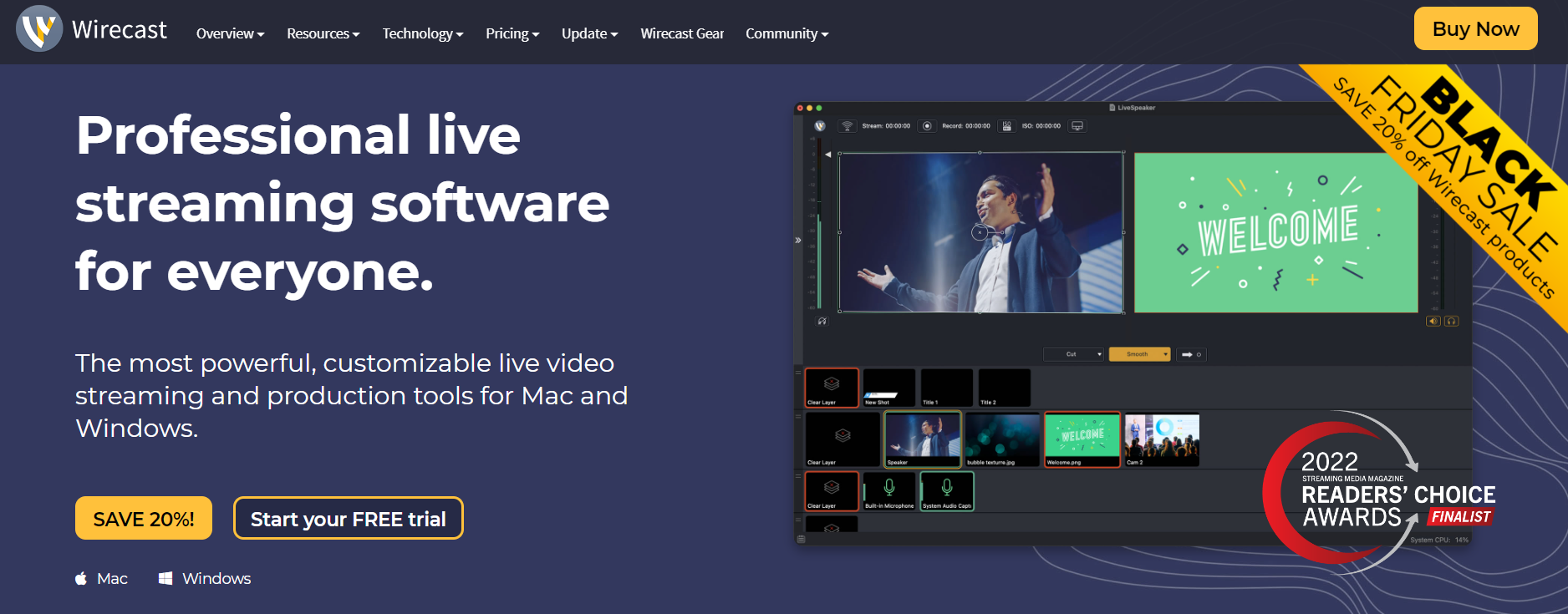
Wirecast is a live video streaming and encoding software application developed by Telestream. It runs on the macOS and Windows operating systems. The application allows users to stream live video from their desktop or laptop computers to the Internet and record video to a local drive.
Wirecast can be used for various purposes, including live event coverage, webinars, podcasts, sermon broadcasts, and more. The application is relatively easy to use. It has many helpful features, such as adding graphics and titles and switching between multiple cameras.
With its intuitive interface and powerful capabilities, Wirecast is an excellent option for those looking to stream live video.
Price: $599 – $799 (lifetime deal)
Features
- Screen sharing and web feed sharing
- Instant replay
- Built-in graphics tool
- Compatible with Windows and macOS
- Stream to any RTMP destination
- Multi-bitrate streaming
- Green screen
- On-screen comment sharing from Facebook and Twitter
Summary
Wirecast is a live streaming software for video broadcasting. It allows users to broadcast live video from their computer to the internet, with various features and options. The software is easy to use, with multiple templates and options for customizing your broadcasts.
You can also add graphics, transitions, and other effects to make your broadcasts more professional. Wirecast is an essential tool for anyone interested in live streaming and offers a great way to reach a global audience.
Watch Out For: It is pricey.
4. Lightstream Studio
Source: Lightstream Studio
Lightstream Studio is a powerful video production platform that enables users to create professional-quality live streams and recordings. The software is designed to be used by professionals and amateurs alike, and it offers a wide range of features that make it ideal for creating high-quality video content.
One of the most notable features of Lightstream Studio is its ability to capture and encode high-quality video and audio footage automatically. Users can easily create videos suitable for broadcasting or posting online.
In addition, the software also includes several powerful editing tools that allow users to customize their recordings. Overall, Lightstream Studio is an impressive software that provides users with everything they need to create professional-quality live streams and recordings.
Price: $7 – $40
Features
- Unlimited projects, scenes, and layouts
- Cloud-based streaming
- Text, webcams, images, and video clips as sources
- Supported by all operating systems
- Control your live stream from the Lightstream mobile app
- Third-party integrations for graphics and stream alerts
Summary
Lightstream is a live streaming software that is designed for video broadcasting. It is simple to use and has various features that make it ideal for live streaming. For example, Lightstream offers an easy-to-use interface, support for multiple cameras, and the ability to stream to various platforms.
Lightstream Studio allows you unrestricted control to place everything exactly where you want to best represent your creative vision. It allows you create unlimited projects, scenes, and layouts for your shows.
In addition, Lightstream is relatively affordable, making it an excellent option for those on a budget.
Watch Out For: It does not have 4k streaming.
5. Streamlabs
Source: Streamlabs
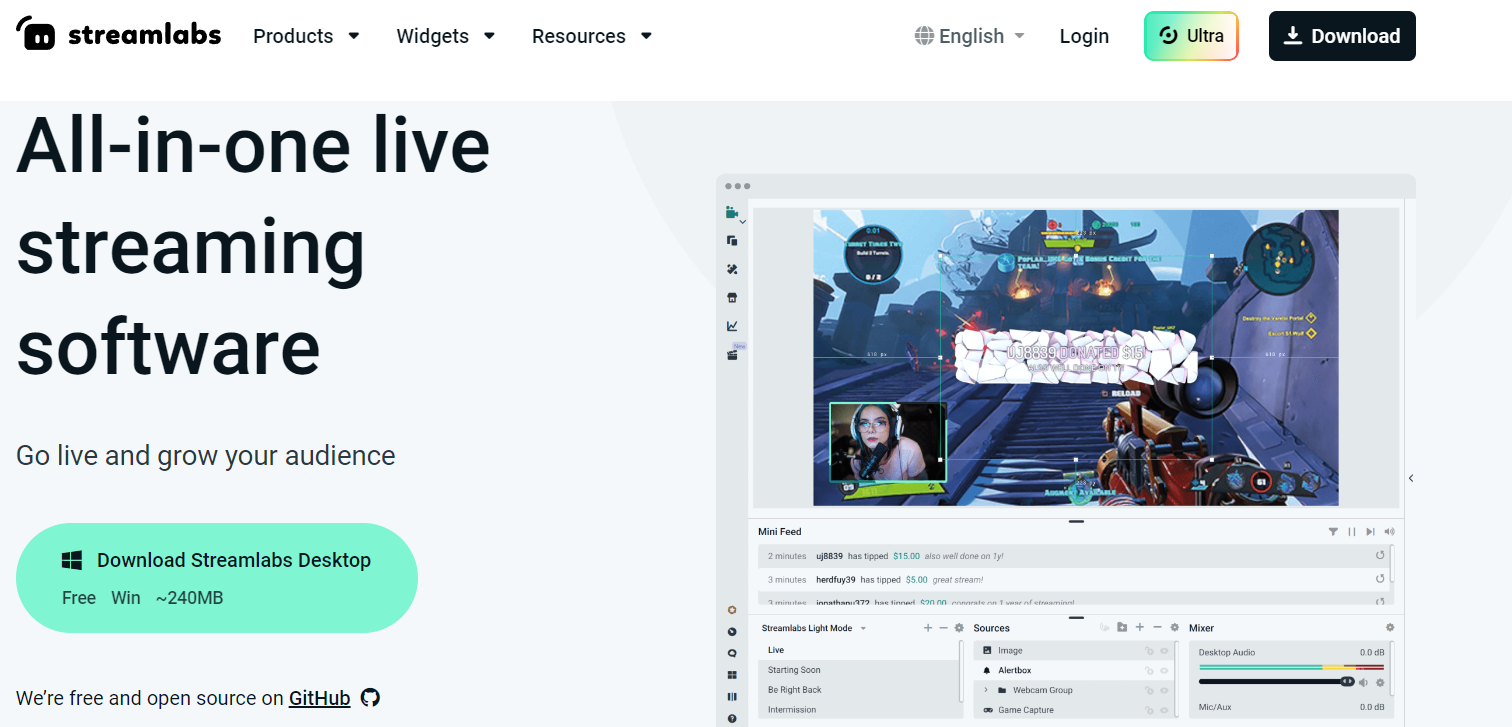
Streamlabs is a suitable live streaming software for video broadcasting. It offers a wide range of features and options, making it an excellent choice for novice and experienced streamers. One of the most popular features of Streamlabs is its support for various streaming platforms, including Twitch, YouTube, and Facebook.
This means you can easily stream your content to a wide audience without worrying about platform compatibility. Streamlabs also offers a web-based interface that makes it easy to manage your stream and keep track of your viewer count.
This is especially useful if you’re simultaneously running a live stream on multiple platforms. Streamlabs is an excellent choice for anyone looking for a comprehensive live streaming solution.
Price: $19
Features
- YouTube and Twitch chatbot
- Customizable stream alerts
- Integrated donation options
- Create a merch store
- Multistreaming
- Pre-built stream overlays
- Video editor and preview
- Video recording
Summary
Streamlabs is one of the leading software platforms for live streaming. It provides streamers with a wide range of tools to help them grow their channels and build engaged communities. Streamlabs is also known for its support of charity streaming events.
Watch Out For: Access to certain features is only available to Prime members.
Factors to Consider When Buying a Live Streaming Software
Live streaming has become increasingly popular in recent years as more and more people look for ways to connect with their audiences in real time. However, to get the most out of the software, you need to consider some factors before purchasing the software, and they are;
Compatibility
In addition to finding a program that suits your needs, you also need to make sure it’s compatible with your computer. To do this, you’ll need to know your operating system and what kind of processor it uses. You’ll also need to know how much memory your computer has and whether or not it has a graphics card.
Once you have this information, you can look for software compatible with your system. Remember that some programs are only compatible with certain operating systems, so check the requirements before making a purchase.
Audio and Video Quality
Two of the most important factors to consider are audio and video quality. After all, if your viewers can’t hear or see what’s going on, they’re not likely to stick around for long. The last thing you want is for your live stream to be plagued by poor sound or blurry images. To avoid this, read online reviews and test different software programs before making your final purchase.
Price
There are a lot of different products on the market, and they all come with different price tags. So how do you know if you are getting a good deal?
One way to evaluate a live streaming software’s price is to look at its features. Some products are feature-rich, while others are more basic. You will need to decide which features are most important to you and then compare prices accordingly.
Another thing to keep in mind is that the price of a live streaming software can vary depending on the time of year. Some products are priced lower during certain times of the year, so it pays to shop around.
Finally, remember to factor in any discounts or promotions that may be available. Many companies offer discounts for bulk purchases or signing up for a longer-term contract. You can get a great live streaming software at a very reasonable price by taking advantage of these deals.
Live Stream Frequency
One of the most important considerations is your live stream frequency. How often do you plan on live streaming? If you only occasionally plan on live streaming, you may not need the most robust software. However, if you plan on live streaming regularly, you’ll want to make sure that you choose a software that can handle your live stream frequency.
Otherwise, you may run into technical issues or poor-quality streams. The bottom line is that your live stream frequency is important when choosing a live streaming software. Make sure to take it into account to ensure a smooth and successful live streaming experience.
Cloud Transcoding
Cloud transcoding allows you to encode your video stream into multiple formats and bitrates so it can be played on various devices. This is essential for reaching a wider audience, as not everyone has the same type of device or internet connection.
Decoding your video stream in the cloud also frees up your local resources so you can use them for other tasks. Ask about the vendor’s cloud transcoding capabilities when considering live streaming software. This will ensure that you’re able to reach the largest audience possible.
Privacy and Security
Live streaming has become increasingly popular in recent years as more and more people look for ways to share their lives with the world. Whether it’s a live concert, a cooking demonstration, or just a casual conversation with friends, there’s no shortage of reasons to want to broadcast your life online.
But when choosing a live streaming software, privacy and security should be top concerns. After all, you’ll be sharing sensitive information like your IP address and possibly even your financial information if you’re using a service that requires payment.
Fortunately, several live streaming software options take privacy and security seriously. Services like VPN Live Streaming also offer military-grade encryption to keep your data safe, and they don’t require any personal information from you to create an account. So if you’re looking to start live streaming, choose a software that puts your privacy and security first.
Customer Support
If you’re considering using live streaming to reach your audience, one of the most important factors to consider is customer support. After all, when things go wrong during a live stream, you’ll want to be able to get help from a knowledgeable customer support team quickly.
When evaluating customer support options for live streaming software, key factors must be kept in mind. First, you’ll want to ensure that the customer support team is available 24/7. This way, if something goes wrong in the middle of the night, you will get help immediately.
Second, you’ll want to ensure that the customer support team is knowledgeable about the software. A good way to test this is to ask them a few questions about the software’s features before you purchase it.
Finally, you’ll want to ensure that the customer support team has a good reputation. You can check online reviews or ask friends and colleagues for recommendations.
Why Use a Live Streaming Software?
In today’s digital world, live streaming has become an increasingly popular way to share content with the world. Whether you’re a musician streaming a live concert, a YouTuber broadcasting your latest video, or just a casual user wanting to chat with friends, there are many reasons to use live streaming software.
Live streaming software provides a way for content creators to reach this growing audience. By using a live streaming platform, content creators can interact with their viewers in real-time, and build a community around their channel.
In addition, live streaming software offers several features that can help content creators engage their audience and grow their channel. For example, many platforms offer the ability to add graphics and overlays to live streams, as well as the ability to stream to multiple platforms simultaneously.
As the demand for online content continues to grow, live-streaming software will become an increasingly essential tool for content creators.
Conclusion
Live streaming has become an increasingly popular way to share content with the world, it’s important to choose a live streaming software that takes your privacy and security seriously.
Each of the live-streaming software discussed in this article has its own set of strengths and weaknesses. It’s important to decide which features are the most important to you and your viewers before making a decision about which platform to choose.
Do you want maximum control over your broadcast? Or are you looking for a platform that is easy to use and has all the bells and whistles? Whichever route you go, be sure to test out different platforms until you find one that feels just right.