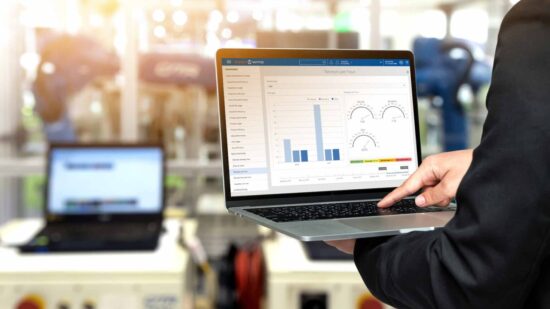
In the dynamic landscape of small business manufacturing, efficiency, and precision are paramount for success. The right tools can make all the difference, and that’s where manufacturing software comes into play. This article explores the top 5 manufacturing software for small businesses, examining their features, pricing, and considerations for making an informed choice.
What Is Manufacturing Software for Small Business?
Manufacturing software for small businesses serves as a comprehensive suite of digital tools and applications specifically designed to optimize and streamline various facets of the production process. These solutions are tailored to meet the unique needs and challenges faced by small-scale manufacturers, offering a centralized platform where critical manufacturing operations can be managed efficiently. At its core, manufacturing software acts as a digital nerve center, facilitating seamless coordination between different stages of production, including inventory management, order processing, production planning, and resource allocation. By harnessing the power of automation and real-time data analytics, manufacturing software empowers small businesses to enhance their operational workflows, reduce manual errors, and achieve a level of precision that would be challenging to attain through traditional, manual methods.
Benefits Of Manufacturing Software for Small Business
1. Improved Efficiency
One of the primary benefits of adopting manufacturing software for small businesses is the substantial improvement in operational efficiency. By automating repetitive tasks, such as order processing and inventory management, these solutions reduce the reliance on manual labor, allowing employees to focus on more strategic and value-added activities. This results in faster production cycles and, subsequently, quicker order fulfillment.
2. Enhanced Accuracy
Manufacturing processes demand a high level of accuracy to avoid errors that can lead to wastage, delays, or customer dissatisfaction. Manufacturing software leverages advanced algorithms and real-time data tracking to minimize the risk of errors in inventory management, order processing, and production planning. This heightened accuracy contributes to a more reliable and consistent production output.
3. Real-time Visibility
Small businesses often face the challenge of limited resources and tight production schedules. Manufacturing software provides real-time visibility into production workflows, enabling businesses to monitor progress, track inventory levels, and respond promptly to changing demands. This visibility is invaluable for making informed decisions that align with overarching business goals.
4. Scalability
As small businesses evolve and expand, the scalability of their operational tools becomes a critical factor. Manufacturing software is designed to grow with the business, accommodating increased production volumes and complexities. This scalability ensures that small businesses can adapt their manufacturing processes without the need for significant overhauls or disruptions.
5. Cost Savings
Cost efficiency is a paramount concern for small businesses. Manufacturing software contributes to cost savings by minimizing waste, optimizing resource utilization, and reducing the need for extensive manual labor. The automation of repetitive tasks also results in time savings, allowing employees to focus on more strategic aspects of the business.
The Top 5 Manufacturing Software for Small Business
1. Fishbowl Manufacturing

Fishbowl Manufacturing stands out with its comprehensive integration with QuickBooks, offering small businesses a robust set of tools for managing their manufacturing processes. At its core, Fishbowl Manufacturing provides a detailed overview of the entire production cycle. From creating detailed Bills of Materials (BOM) to facilitating seamless work order processing, the software ensures that every step of the manufacturing journey is meticulously managed.
The software excels in inventory tracking and optimization, allowing businesses to maintain precise control over their stock levels. Through real-time updates, users can monitor inventory movements, identify potential shortages, and make informed decisions to avoid disruptions. Order fulfillment tools within Fishbowl Manufacturing contribute to efficient and accurate delivery processes, ensuring that customer orders are met promptly.
Price: Pricing for Fishbowl Manufacturing varies based on the specific needs of the business, ensuring scalability for small enterprises.
Notable Features
- Bill of Materials (BOM) management
- Work order processing
- Inventory tracking and optimization
- Order fulfillment tools
- Integration with QuickBooks
Summary
Fishbowl Manufacturing provides small businesses with a robust set of manufacturing and inventory management tools, integrating seamlessly with QuickBooks for a streamlined financial workflow.
Watch Out For: Businesses should assess their specific manufacturing needs to ensure that Fishbowl’s features align with their production processes.
2. Epicor ERP
Epicor ERP distinguishes itself with its comprehensive approach to enterprise resource planning tailored for small and medium-sized manufacturers. The detailed overview provided by Epicor ERP encompasses a wide range of functionalities aimed at optimizing the entire manufacturing lifecycle.
Production planning and scheduling are central to Epicor ERP’s capabilities. The software empowers small businesses to create efficient production plans, ensuring that resources are allocated effectively to meet demand. This detailed planning extends to supply chain management, where Epicor ERP enables businesses to navigate complex supply networks, minimize lead times, and optimize inventory levels.
Price: Epicor ERP adopts a customized pricing model based on the specific requirements of each business, ensuring that small businesses pay for the features and resources they need.
Notable Features
- Production planning and scheduling
- Quality management tools
- Supply chain management
- Financial management integration
- Reporting and analytics
Summary
Epicor ERP offers small businesses a comprehensive manufacturing solution with a focus on production planning, quality management, and seamless integration with financial processes.
Watch Out For: Small businesses should assess their scalability requirements and ensure that Epicor’s modular structure aligns with their growth plans.
3. JobBOSS
JobBOSS takes a unique, job-centric approach to ERP, providing a detailed overview of manufacturing processes that cater specifically to small and custom manufacturers. At the core of JobBOSS’s detailed overview is its focus on order processing, job scheduling, and shop floor management.
Order processing is a critical aspect of the software’s capabilities, allowing businesses to manage customer orders from inception to fulfillment efficiently. JobBOSS’s job-centric design ensures that orders are processed seamlessly, minimizing delays and enhancing customer satisfaction.
Price: JobBOSS offers a tailored pricing model based on the specific needs and size of the business, ensuring that small manufacturers can access the features relevant to their operations.
Notable Features
- Order processing and job scheduling
- Shop floor management tools
- Resource utilization tracking
- Real-time job progress insights
- Integration with accounting software
Summary
JobBOSS caters to small manufacturers with a job-centric approach, providing tools for order processing, job scheduling, and real-time insights into shop floor operations.
Watch Out For: Businesses should evaluate their job-centric manufacturing needs to ensure that JobBOSS aligns with their operational requirements.
4. MRPeasy

MRPeasy stands out as a cloud-based manufacturing and inventory management solution designed with simplicity and accessibility in mind. The software’s detailed overview encompasses key manufacturing functionalities, offering a user-friendly interface for small businesses.
The production planning and scheduling features within MRPeasy are central to its detailed overview. Businesses can create production plans and schedules with ease, ensuring that resources are allocated optimally to meet demand. The cloud-based accessibility of MRPeasy allows users to access these plans from anywhere, facilitating collaboration and flexibility.
Price: MRPeasy adopts a transparent pricing model, starting at an affordable rate per user per month. This ensures accessibility for small businesses with budget constraints.
Notable Features
- Production planning and scheduling
- Inventory tracking and optimization
- Order management tools
- Cloud-based accessibility
- Reporting and analytics
Summary
MRPeasy offers small businesses a cloud-based solution for manufacturing and inventory management, with a focus on simplicity and accessibility.
Watch Out For: Businesses should assess their preference for cloud-based solutions and evaluate how MRPeasy aligns with their specific manufacturing requirements.
5. Katana
Katana positions itself as a modern manufacturing software solution designed specifically for small businesses involved in production, craft, and inventory management. The software’s detailed overview revolves around real-time visibility, automation, and multi-channel order management.
Auto-booking for production orders is a standout feature contributing to Katana’s detailed overview. The software automates the booking of production orders based on real-time inventory levels, ensuring that manufacturing processes are triggered precisely when needed. This automation minimizes manual intervention and streamlines production workflows.
Price: Katana offers transparent pricing based on the number of users and additional features required. The pricing model is designed to be affordable for small businesses.
Notable Features
- Auto-booking for production orders
- Inventory tracking and optimization
- Multi-channel order management
- Real-time insights and reporting
- Integration with e-commerce platforms
Summary
Katana is tailored for small manufacturers, offering features like auto-booking, inventory optimization, and multi-channel order management to streamline operations and improve efficiency.
Watch Out For: Businesses should evaluate their specific manufacturing needs and assess how Katana aligns with their operational requirements.
Factors To Consider When Choosing Manufacturing Software for Small Business
1. Scalability
Small businesses should carefully evaluate the scalability of a manufacturing software solution to ensure it aligns with their growth trajectory. The chosen software should have the flexibility to accommodate increased production volumes and evolving operational complexities without introducing unnecessary disruptions.
2. Integration Capabilities
The seamless integration of manufacturing software with existing tools, accounting software, and other essential business applications is crucial. Compatibility ensures a cohesive and interconnected digital ecosystem, preventing data silos and enhancing overall operational efficiency.
3. User-Friendly Interface
The user-friendliness of the manufacturing software is a key consideration for successful adoption. An intuitive and easy-to-navigate interface facilitates quicker onboarding for employees and ensures efficient utilization of the software’s features across different teams within the organization.
4. Customization Options
Manufacturing processes can vary widely, even among small businesses within the same industry. Therefore, the chosen software should offer customization options, allowing businesses to tailor the solution to their unique manufacturing processes and specific requirements.
5. Support and Training
Assessing the level of support and training provided by the software vendor is essential for a smooth implementation process. Adequate support ensures that any issues or challenges can be addressed promptly, while comprehensive training programs empower users to maximize the software’s potential.
6. Cost and Return on Investment (ROI)
Evaluating the total cost of ownership is critical when selecting manufacturing software. Small businesses should consider both upfront costs and ongoing expenses, weighing them against the expected return on investment. A cost-effective solution that aligns with the business’s budget constraints is crucial for long-term success.
Conclusion
Selecting the right manufacturing software for a small business is a strategic decision that can significantly impact efficiency, accuracy, and overall success. The top 5 manufacturing software solutions highlighted in this article cater to different needs, offering a range of features and capabilities. By considering factors such as scalability, integration, user-friendliness, customization, support, and cost, businesses can make an informed choice that aligns with their unique manufacturing requirements. Embracing the power of technology through these software solutions can pave the way for success and growth in the competitive landscape of small business manufacturing.