
Software for teachers has revolutionized education by offering a wide range of digital tools that enhance teaching and learning experiences. These applications streamline administrative tasks, create personalized learning opportunities, and foster student engagement. In this article, we delve into the benefits of using software in the classroom and identify the top five essential tools that empower educators in today’s technology-driven educational landscape.
What is Software for Teachers?
Software for teachers is a collection of digital tools, applications, and computer programs designed to improve the teaching and learning experience in various educational settings. These tools encompass a wide range of functions, from content creation to student assessment and classroom management.
One example of software for teachers is learning management systems (LMS), such as Canvas and Blackboard, which allow educators to manage, organize, and deliver educational content, track student progress, facilitate communication, and automate administrative tasks. Another example is educational content creation tools, which are used to create engaging and interactive educational materials such as presentations, worksheets, and quizzes. Examples of educational content creation tools include Microsoft Office, Google Workspace (formerly G Suite), and Adobe Spark.
Assessment and grading software like Gradescope and Turnitin provide automated grading, rubric scoring, and detailed analytics, while communication software like Remind and ClassDojo facilitates communication between teachers, students, and parents. These software solutions offer numerous benefits, including improved collaboration, increased efficiency, and personalized instruction. By fully utilizing these software tools, teachers can streamline their workflows and accelerate student learning outcomes.
Benefits of Using Software for Teachers
The use of software for teachers offers numerous advantages, including improved efficiency in administrative tasks, personalized learning experiences for students, enhanced student engagement with interactive content, streamlined communication between teachers, students, and parents, and more efficient and accurate assessment and grading processes. These benefits ultimately empower teachers to create a more effective and engaging learning environment for their students.
1. Improved Efficiency
Using software for teachers improves the efficiency of teaching tasks, automates administrative tasks, simplifies workflows, and reduces the amount of time spent on tasks such as grading and data entry. It allows teachers to focus more on the creative and instructional aspects of their work while keeping track of logistical details in a streamlined way, reducing errors and improving accuracy.
2. Personalized Learning
Software for teachers allows for personalized learning experiences that cater to individual student needs and preferences. As teachers use technology to identify strong and weak points in students’ performance, they are better equipped to create custom learning plans, track their progress, and provide more tailored instruction.
3. Improved Student Engagement
Software for teachers helps increase student engagement through the use of interactive and multimedia learning content, games, quizzes, and other activities. It enables educators to create engaging, visually appealing, and interactive materials that students enjoy and find interesting.
4. Better Communication
Software improves communication between teachers, students, parents, and school administrators. Teachers can easily communicate with students and parents, send announcements and feedback, hold online discussions, and provide information about upcoming projects and assignments. This leads to better communication between all parties involved in the teaching and learning process.
5. Streamlined Assessment
Assessment and grading are streamlined through the use of software like Turnitin and GradeCam, which reduce manual processes, provide detailed analytics, and enable more accurate and consistent grading. Teachers can also track student progress and adjust coursework based on individual performance, enabling a more data-driven approach to assessment and grading that supports student success.
Top 5 Software for Teachers
Discover the top five software solutions that are essential for teachers in today’s technology-driven educational landscape. These tools offer a wide range of capabilities, including classroom management, content creation, student assessment, communication, and data analysis.
With these software choices, teachers can enhance their teaching effectiveness, streamline administrative tasks, and foster an engaging and interactive learning experience for their students.
1. ClassDojo
ClassDojo is a widely used classroom management software that enables teachers to foster a positive classroom culture and strengthen parent-teacher communication. With its user-friendly interface and comprehensive features, ClassDojo has gained popularity among educators worldwide.
Price: ClassDojo is free for teachers. The software operates on a freemium model, offering additional features and support through a premium subscription called ClassDojo Beyond School.
Notable Features
- Behavior Management: ClassDojo allows teachers to track and manage student behavior effectively. Teachers can award positive points (Dojo points) for desirable behavior and provide real-time feedback to students and parents.
- Communication Tools: The software facilitates seamless communication between teachers, parents, and students via private messaging. Teachers can share updates, photos, and videos of classroom activities, ensuring parents stay informed and engaged in their child’s education.
- Class Story: With the Class Story feature, teachers can share announcements, photos, and general information with parents. This creates a virtual connection between the classroom and home, fostering a stronger school-home partnership.
- Reports and Analytics: ClassDojo offers detailed reports and analytics that provide insights into student behavior patterns and overall classroom dynamics. This helps teachers identify areas for improvement and make data-driven decisions.
- Student Portfolios: Teachers can create digital portfolios for students, showcasing their achievements and progress throughout the academic year. This tool fosters student ownership of their learning and facilitates parent-teacher conferences.
Summary
ClassDojo is a valuable classroom management tool that promotes positive behavior, strengthens communication, and encourages parent involvement. With its range of features and user-friendly interface, the software simplifies the day-to-day management of classrooms.
Watch Out For: While ClassDojo offers a plethora of classroom management features, it primarily focuses on behavior management and communication. Teachers seeking a more comprehensive platform with advanced assessment and grading capabilities may need to look into additional software options.
2. Canvas

Canvas is a robust learning management system (LMS) widely used by educational institutions to deliver online courses, manage assignments, and facilitate student-teacher collaboration. Known for its versatility and scalability, Canvas is suitable for both K-12 and higher education settings.
Price: Canvas offers flexible pricing options tailored to educational institutions’ specific needs. Pricing typically varies based on factors such as the number of users, hosting options, and desired support level. Educational institutions interested in Canvas can contact the sales team for customized pricing details.
Notable Features
- Course Management: Canvas provides a centralized location for organizing course materials, including lectures, assignments, quizzes, and discussion boards. Teachers can easily structure and manage their courses, ensuring a seamless learning experience for students.
- Collaboration Tools: Canvas offers various collaboration features, such as group discussions, real-time document editing, and peer review assignments. These tools facilitate student engagement and promote collaborative learning.
- Assessment and Grading: The platform supports diverse assessment types, including quizzes, assignments, and exams. Teachers can create and grade assessments online, providing timely feedback to students. The gradebook feature allows teachers to track student progress and generate comprehensive reports.
- Integration Capabilities: Canvas seamlessly integrates with other educational tools and platforms, enabling a cohesive learning ecosystem. It can be integrated with apps like Zoom for virtual lectures or plagiarism detection systems for enhanced academic integrity.
- Accessibility and Customization: Canvas prioritizes accessibility and provides features that accommodate diverse learning needs. The platform supports multimedia content, screen reader compatibility, and customizable interface options.
Summary
Canvas offers a feature-rich learning management system that empowers teachers to deliver online courses effectively and facilitate student collaboration. Its customizable interface and comprehensive assessment tools make it a popular choice among educational institutions.
Watch Out For: While Canvas is highly regarded as a learning management system, some users may find the initial setup and customization process to be challenging. Teachers and institutions should allocate sufficient time and resources for proper implementation and training to maximize their use of the software.
3. Microsoft Office Suite
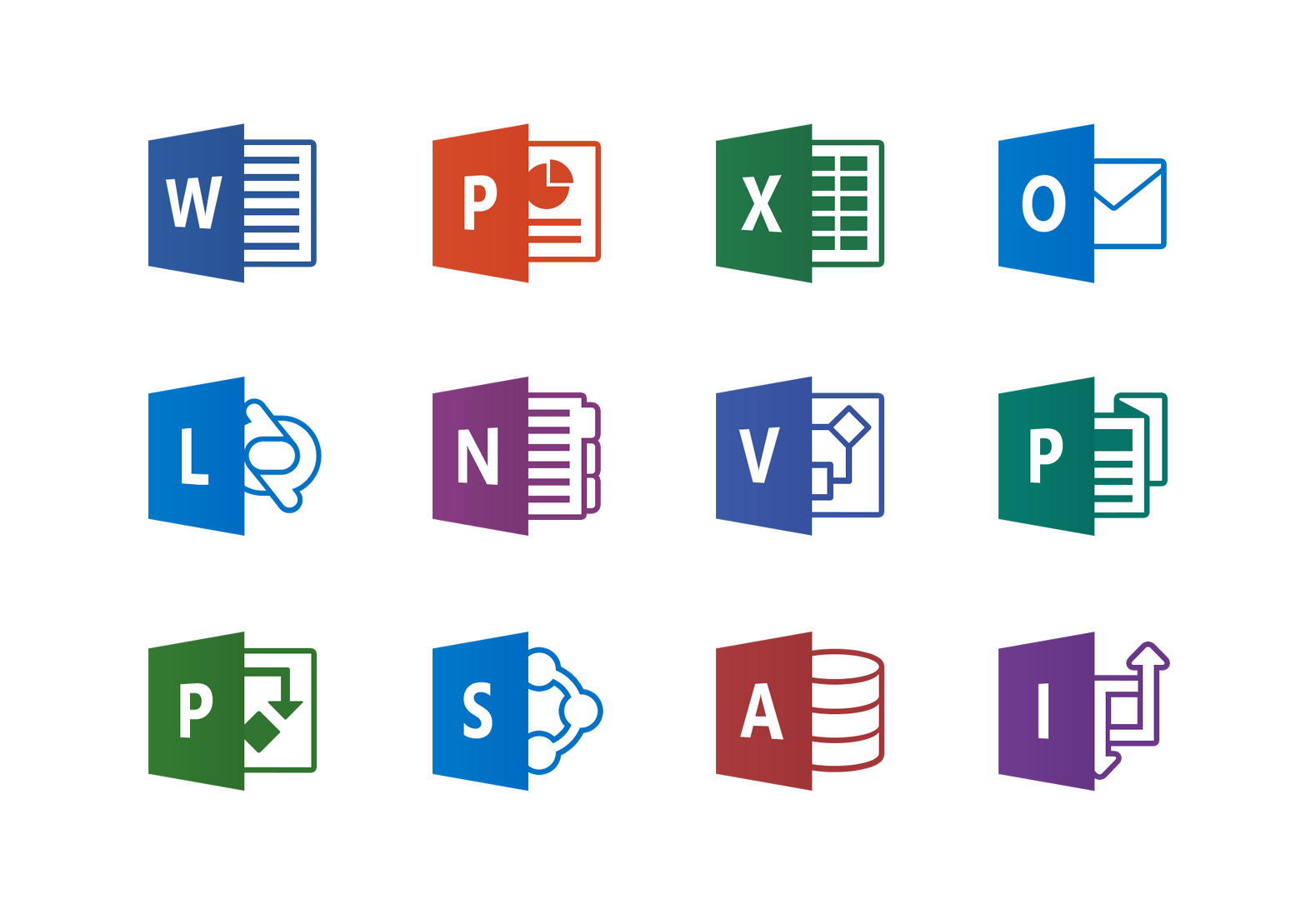
Microsoft Office Suite is a collection of essential productivity tools, including Word, PowerPoint, Excel, and OneNote. Teachers widely use these tools for content creation, classroom activities, and administrative tasks.
Price: Microsoft Office Suite offers various pricing options depending on users’ specific needs. Teachers and educational staff often have access to discounted or free versions of Office through school subscriptions. Additionally, Microsoft provides a cloud-based version called Office 365, offering subscription plans with different features and storage options.
Notable Features
- Content Creation: Microsoft Word allows teachers to create lesson plans, handouts, and worksheets easily. PowerPoint empowers educators to design visually appealing presentations that incorporate multimedia elements to engage students effectively.
- Spreadsheet Management: Excel is a versatile tool for managing student data, grading systems, and statistical analysis. Teachers can track student progress, create gradebooks, and generate charts for data visualization.
- Collaboration and Note-Taking: OneNote is a powerful tool for note-taking, collaboration, and organizing resources. Teachers can create digital notebooks, share content with students, and collaborate with colleagues in real time.
- Integration with Education Apps: Microsoft Office Suite integrates with various educational applications and platforms, streamlining workflow and enhancing productivity. For example, integration with Learning Management Systems enables easy sharing of documents and assignments.
- Cloud Storage and Accessibility: With Office 365, teachers can save and access their files from anywhere using cloud storage. This allows seamless collaboration and file sharing with students and colleagues.
Summary
Microsoft Office Suite is a reliable and versatile software package that empowers teachers to create engaging content, manage data effectively, and collaborate efficiently. It offers essential tools for various teaching needs, making it a go-to choice for educators worldwide.
Watch Out For: Teachers should ensure they have proper licensing and access to the latest version of Microsoft Office Suite to leverage all the features and stay updated with the latest improvements and security patches.
4. Turnitin
Turnitin is an academic integrity software widely used by educators to detect and prevent plagiarism in students’ written work. It provides robust plagiarism detection solutions and supports online grading and feedback functionalities.
Price: Turnitin’s pricing varies based on factors such as the size of the institution, the number of students, and additional features required. Teachers or educational institutions interested in Turnitin should contact their sales representatives for accurate pricing information.
Notable Features
- Plagiarism Detection: Turnitin’s proprietary algorithm compares students’ work to an extensive database of published works, websites, and student submissions, identifying potential instances of plagiarism or improper citation.
- Online Grading and Feedback: Teachers can use Turnitin’s online grading tools to provide detailed feedback directly on students’ papers. Rubrics, comments, and suggestions can be added, making the feedback process more efficient and effective.
- Peer Review: Turnitin facilitates peer-review assignments, enabling students to provide feedback on each other’s work. This promotes collaboration, critical thinking, and peer learning within the classroom.
- Academic Integrity Education: Turnitin offers resources and modules to educate students about plagiarism, academic integrity, and citing sources correctly. These educational materials help students understand the importance of originality and ethical writing practices.
- Integration with LMS: Turnitin integrates seamlessly with various Learning Management Systems, such as Canvas and Moodle, making it easier for teachers to incorporate plagiarism detection into their existing workflows.
Summary
Turnitin is a leading plagiarism detection software that enables teachers to uphold academic integrity and provide valuable feedback to students. Its comprehensive reporting and grading tools enhance the learning experience and foster original, critical thinking among students.
Watch Out For: While Turnitin is a robust tool for detecting plagiarism, it does not address other forms of academic dishonesty, such as contract cheating or unauthorized collaboration. Teachers should combine Turnitin with other strategies and resources to tackle academic integrity comprehensively.
5. Remind
Remind is a communication platform designed specifically for teachers. It allows seamless communication between teachers, students, and parents. With its intuitive interface and versatile features, Remind simplifies classroom messaging and engagement.
Price: Remind offers a free basic plan that includes essential features. They also provide Remind School or District plans with enhanced features and administrative tools tailored for educational institutions. Pricing details for these plans can be obtained by contacting the Remind sales team.
Notable Features
- Secure Messaging: Remind provides a safe and secure communication channel for teachers, students, and parents. Messages can be sent to individuals or groups, ensuring effective and targeted communication.
- Announcement Broadcasting: Teachers can send out announcements to the entire class or specific groups, keeping students and parents informed about important updates, assignments, and upcoming events.
- Multimedia Sharing: Remind allows teachers to share multimedia content such as photos, videos, and files with students and parents. This facilitates a rich learning experience and supports the exchange of instructional materials.
- Instant Translation: The platform offers real-time translation for over 90 languages, breaking down language barriers and ensuring effective communication with diverse student populations and multilingual parents.
- Parent-Teacher Conference Scheduling: Remind simplifies the process of scheduling parent-teacher conferences by offering an integrated feature that allows parents to sign up for available time slots conveniently.
Summary
Remind is a user-friendly communication platform that instantly connects teachers, students, and parents. Its secure messaging, announcement broadcasting, and multimedia-sharing features contribute to stronger parent engagement and improved communication within the classroom community.
Watch Out For: Remind primarily focuses on communication and messaging features and may not offer advanced classroom management or assessment capabilities that some teachers may require. Educators seeking more comprehensive solutions may need to explore additional software options.
Factors to Consider When Choosing Software for Teachers
Choosing the right software for teachers is an essential decision that can greatly impact their teaching effectiveness and student outcomes. To make an informed choice, several factors need to be considered:
1. Purpose and Features
Start by assessing the software’s purpose. Determine if it is designed for classroom management, content creation, assessment, communication, or a combination of these. Additionally, examine the specific features it offers to ensure they align with your teaching needs and goals.
2. User-Friendliness
The software should have an intuitive interface that is easy to navigate. It should not require extensive training or technical expertise for teachers to utilize it effectively. A user-friendly software saves time and allows teachers to focus on their core task of teaching.
3. Cost and Pricing Structure
Evaluate the pricing options available for the software. Consider whether it requires a one-time purchase or subscription or follows a freemium model. Moreover, think about the long-term cost implications and ensure that the features and benefits offered by the software justify the price.
4. Integration and Compatibility
Check if the software integrates well with your existing tools and platforms. For example, if you use a learning management system or educational apps, ensure that the software can seamlessly integrate with them. Compatibility between software reduces redundancies and streamlines the overall workflow.
5. Technical Support and Resources
Adequate technical support is crucial when using software. Look for software providers that offer various forms of support, such as user forums, documentation, tutorials, and responsive customer service. Having access to these resources can help teachers troubleshoot issues and make the most out of the software.
6. Privacy and Security
In an era where data privacy and security are paramount, it is essential to consider the software’s privacy practices and data protection measures. Ensure that the software complies with relevant regulations and appropriately protects personal and student information.
Conclusion
In conclusion, integrating software into teaching practices has become essential for educators to enhance efficiency, personalize learning, and foster engagement in the classroom. The top five software solutions for teachers offer a diverse range of tools that address different aspects of teaching, including classroom management, content creation, and assessment. By embracing these technological advancements, educators can create dynamic and effective learning environments that shape the future of education.